
Saltar al contenido
15 free Premiere Pro presetsDownload
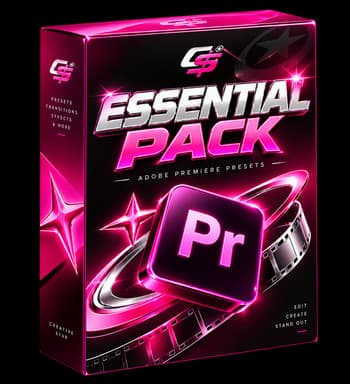
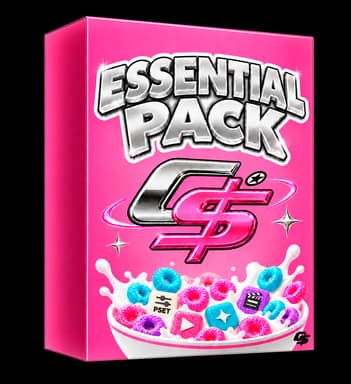
Essential Pack
Essential Pack
Essential Pack
Essential Pack

Essential PackA pack of 32 Premiere Pro presets

Zooms, shakes, transitions, blurs, speed ramps and text entrances: the basics you end up rebuilding in every video. Drag, drop and keep editing, landscape or vertical.

Loved by 10K+ creators
29 €
  • One-time payment, no subscription
  • Instant download after checkout
  • No plugins: native effects
  • Free updates
Included in All Access 12mThe whole catalogue, plus every pack we release for a year. · Save 63 €

Watch every preset move

This is how each preset looks once applied. It is exactly what you download.

Smooth Zoom In
Smooth Zoom In1.0s
Smooth Zoom Out
Smooth Zoom Out1.0s
Punch Zoom
Punch Zoom0.3s
Slow Push In
Slow Push In3.0s
Zoom Bounce
Zoom Bounce0.5s
Camera Shake Light
Camera Shake Light0.6s
Camera Shake Heavy
Camera Shake Heavy0.5s
Handheld Drift
Handheld Drift2.4s
Whip Pan Left
Whip Pan Left0.4s
Whip Pan Right
Whip Pan Right0.4s
Zoom Transition
Zoom Transition0.5s
Spin Transition
Spin Transition0.5s

Drag. Drop. Instant rhythm.

presets ready to use
32
plugins to install
0
formats: horizontal and vertical
2

Premiere Pro presets for YouTube, TikTok and Shorts

Essential Pack brings together 32 transition, zoom, shake, and blur presets. Import them into Premiere Pro once and from then on you apply them by dragging onto the clip: no manual keyframes and no third-party plugins.

Transitions for Premiere Pro

Transitions for Premiere Pro

Whip pans, rolls, slides and blur cuts that sit between two clips. Transitions with rhythm for YouTube videos and fast edits.

Includes 6 presets

  • Whip Pan Left
  • Whip Pan Right
  • Zoom Transition
  • Spin Transition
  • Slide Push
  • Flash Cut
Zoom presets for Premiere Pro

Zoom presets for Premiere Pro

Punch-ins, zoom bounces and slow push-ins. Zooming is the fastest way to change shot without changing camera, and here it is ready to drag.

Includes 5 presets

  • Smooth Zoom In
  • Smooth Zoom Out
  • Punch Zoom
  • Slow Push In
  • Zoom Bounce
Shake and camera shake presets

Shake and camera shake presets

From a subtle handheld wobble to a hard impact for a sound hit. Tuned to land the beat without making anyone dizzy.

Includes 3 presets

  • Camera Shake Light
  • Camera Shake Heavy
  • Handheld Drift
Blur presets

Blur presets

Blur ins and outs, plus directional blur cuts to smooth a shot change or hide a jump cut.

Includes 3 presets

  • Blur In
  • Blur Out
  • Directional Blur

Who it is for

For anyone starting out who wants the basics covered in one go, and for editors already rebuilding the same zooms and shakes by hand in every video.

What you get

32 everyday presets: smooth and punch zooms, camera shakes, whip and zoom transitions, blurs, speed ramps and text entrances.

How to use it

Drag and keep cutting. They all behave the same in landscape and vertical, so the format is not something you decide beforehand.

Everything in the pack

By category

  • Transitions6
  • Zoom5
  • Shake3
  • Blur3
  • Speed ramps3
  • Text ins3
  • Text outs2
  • Emphasis2
  • Glitch2
  • CTA2
  • Hooks1

Full preset list

  • Smooth Zoom In
  • Smooth Zoom Out
  • Punch Zoom
  • Slow Push In
  • Zoom Bounce
  • Camera Shake Light
  • Camera Shake Heavy
  • Handheld Drift
  • Whip Pan Left
  • Whip Pan Right
  • Zoom Transition
  • Spin Transition
  • Slide Push
  • Flash Cut
  • Blur In
  • Blur Out
  • Directional Blur
  • Speed Ramp In
  • Speed Ramp Out
  • Speed Ramp Hit
  • Text Fade Up
  • Text Pop In
  • Text Slide In
  • Text Scale Out
  • Text Fade Out
  • Highlight Flash
  • Pulse
  • RGB Split
  • Glitch Cut
  • Hook Zoom Slam
  • Subscribe Pop
  • Follow Arrow

Requirements and format

Software
Premiere Pro
Minimum version
2024 (24.0) or newer
Platform
Windows, macOS
Presets
32
Format
Horizontal and vertical
File types
.prfpset
Plugins
None
Download
120 MB

How to install the presets in Premiere Pro

  1. Download the ZIP after checkout and unzip it: Premiere cannot see presets inside a .zip.
  2. Open Premiere Pro and go to Window › Effects.
  3. Right-click the Presets folder and choose Import Presets.
  4. Pick the .prfpset file. The presets appear in their folder, ready to drag onto a clip or an adjustment layer.

Updates

  • v1.02026-09-19Launch with 32 presets.

Questions about Essential Pack

32 transition, zoom, shake, and blur presets as .prfpset files, ready to import into Premiere Pro. The full list is on this page.

Premiere Pro 2024 (24.0) or newer, on Windows and macOS.

Unzip the download, open the Effects panel, right-click the Presets folder and choose Import Presets. Pick the .prfpset file and the presets appear in their folder, ready to drag onto a clip.

Yes. 30 of the 32 presets work in both horizontal (16:9) and vertical (9:16); the rest are made for vertical only.

Yes, they do not overlap: this one covers the basic moves while the others go specific (captions, characters, vertical).

That is exactly its ground: the punch zooms and shakes are built to land hits and action beats.

No. Every preset is built with native Premiere Pro effects, so nothing external is required and your render never breaks.

Yes. The licence covers commercial use in your own videos and in client projects. You just cannot resell or redistribute the files.

Yes, and updates are free forever. Every page has a changelog with the date of the latest version.

These are instant-download digital products, so refunds are handled case by case. That is exactly why the free pack exists: try it before spending anything.

More presets